
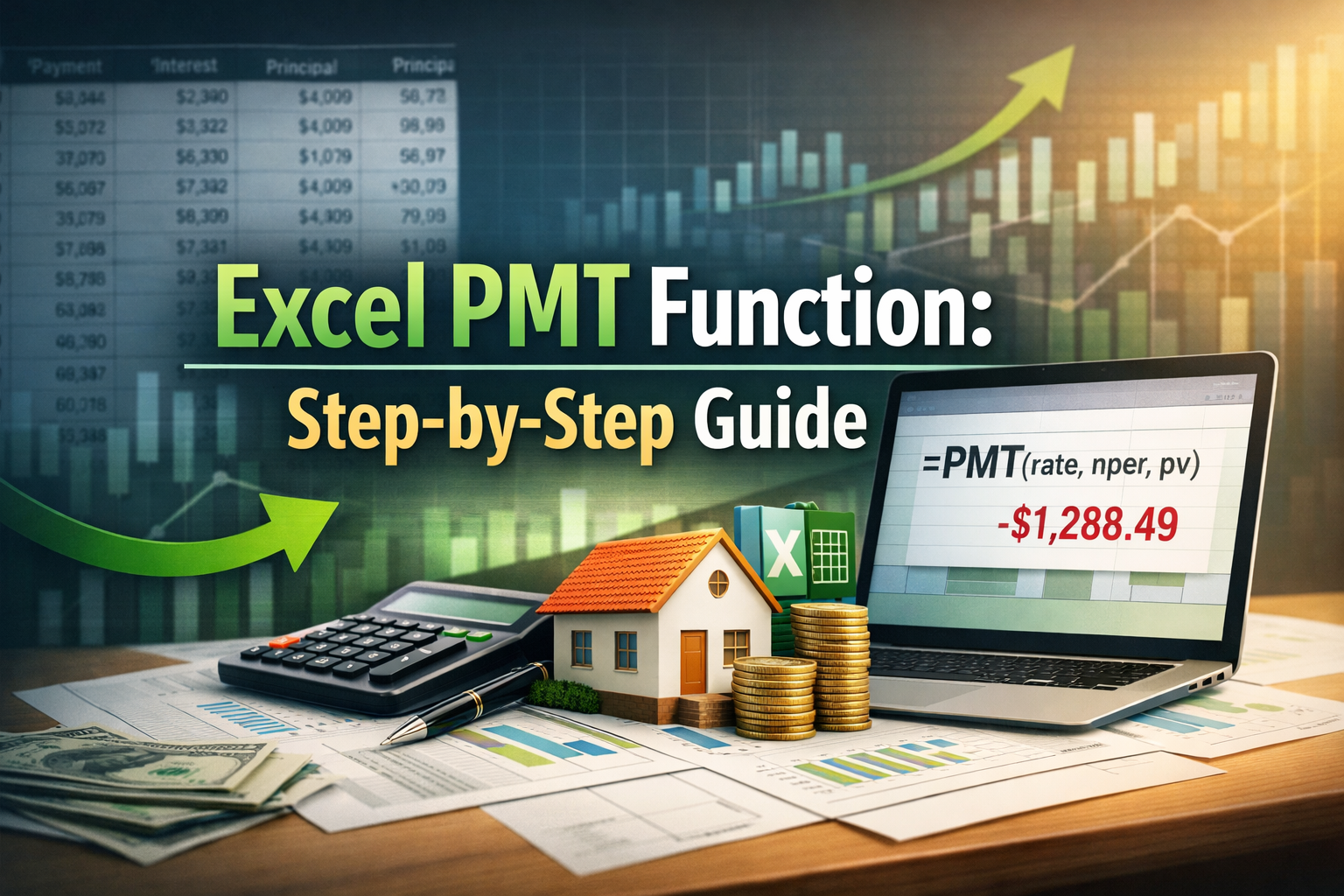
The Excel PMT function is one of those Excel tools that looks small but quietly handles very serious money decisions. When people deal with loans, mortgages, or any repeating financial obligation, this function shows up again and again. I have seen many spreadsheets where the Excel PMT function sits quietly in a cell, calculating periodic payments that affect real budgets and real plans. This guide is written to help you understand the PMT function in a clear, step-by-step way, without overcomplicating things or hiding behind technical language.
The PMT function is mainly used to calculate periodic payments for loans based on constant payments and a constant interest rate. That means it works when you have a fixed payment frequency, a known loan principal, and a fixed rate over time. This makes it perfect for mortgages, personal loans, car loans, and even planning a basic cash flow model for future obligations.
Understanding What the Excel PMT Function Really Does
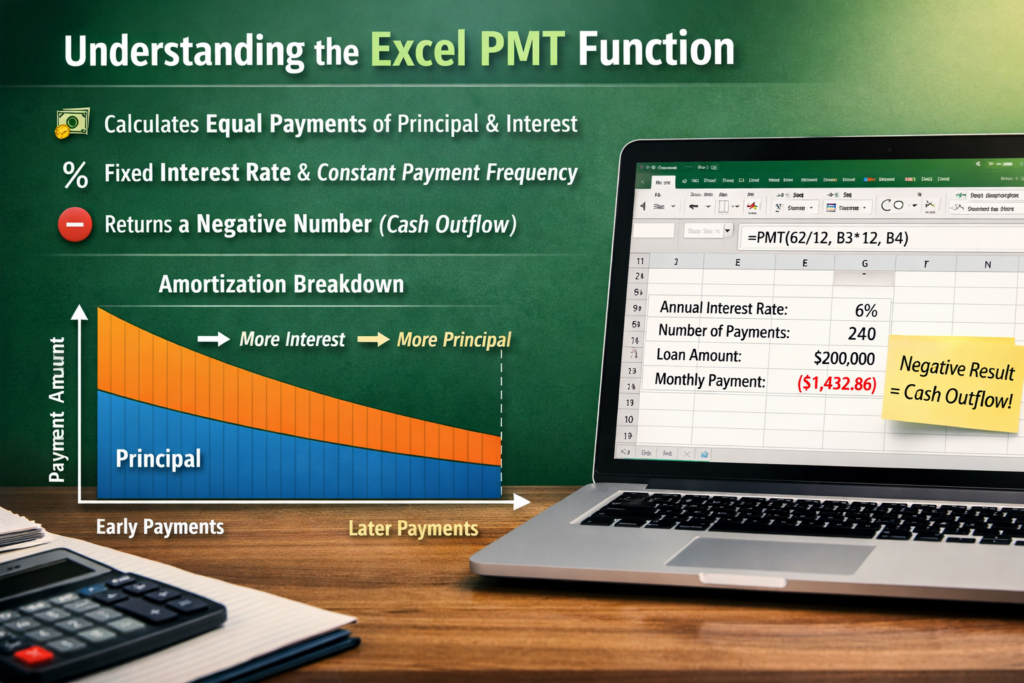
The Excel PMT function calculates how much money you need to pay each period so that both principal and interest are fully paid off by the end of the loan term. Early payments usually have more interest, while later payments shift toward principal and the interest balance changes slowly over time.
The Excel PMT function always assumes that payments are equal, the interest rate stays the same, and the payment frequency does not change. These assumptions are important. If any of these change, the result may not reflect perfectly.
One thing that confuses many users is negative numbers. The Excel PMT function typically returns a negative number. This is not an error. Excel treats payments as cash flowing out, which is why negative numbers appear. Once you understand this, working with the PMT function becomes much easier.
Syntax of the Excel PMT Function Explained Simply
• The Excel PMT function calculates loan payments using interest rate, number of periods, and loan amount.
• The interest rate must match the payment frequency, such as dividing an annual rate by twelve for monthly payments.
• Many incorrect results come from mismatching the interest rate and payment frequency.
• The number of periods is based on how often payments are made, like sixty periods for a five-year monthly loan.
• The loan principal is entered as a positive value, even though the PMT result appears as a negative number.
• Optional inputs include future value, usually zero for loans.
• Payment timing can be set for the beginning or end of the period, with most loans using end-of-period payments.
A Practical Example Using the Excel PMT Function


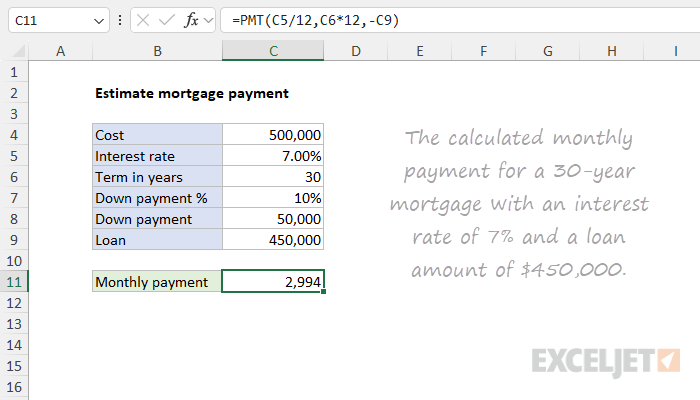
Imagine a loan principal of 200000 with an annual interest rate of six percent, paid monthly over twenty years. To calculate periodic payments, you divide the interest rate by twelve, multiply the number of years by twelve for periods, and use the Excel PMT function.
The Excel PMT function will return a negative number representing the monthly payment. This payment includes both principal and interest. Over time, the interest portion decreases while the loan principal portion increases. This behavior makes the PMT function very reliable for planning long-term financial obligation scenarios.
Many professionals use the function as the base of a cash flow model. By knowing periodic payments in advance, they can map future outflows, plan savings, and manage risk more accurately.
Why Negative Numbers Appear in the Excel PMT Function
Negative numbers deserve special attention because they confuse many people. The Excel PMT function follows Excel cash flow logic. Money you pay out is negative, and money you receive is positive. Since loan payments are outgoing cash, Excel shows them as negative numbers.
You can easily change the display by adding a minus sign before the PMT function or multiplying the result by negative one. The math stays the same. The financial obligation does not change. Only the sign does.
Understanding negative numbers also helps when building a larger cash flow model. Keeping signs consistent ensures accurate totals and fewer errors later.
Payment Frequency and Its Impact on Results
Payment frequency plays a very important role in how the Excel PMT function behaves. Monthly, quarterly, or yearly payments all produce different periodic payments even if the loan principal and interest rate are the same. More frequent payments usually reduce total interest paid over time.
The Excel PMT function does not guess payment frequency. You must tell it clearly through the rate and period inputs. A mismatch can distort principal and interest calculations badly.
When modeling a financial obligation, always double check payment frequency. This single step prevents many spreadsheet mistakes and keeps the PMT function trustworthy.
Using the Excel PMT Function in a Cash Flow Model
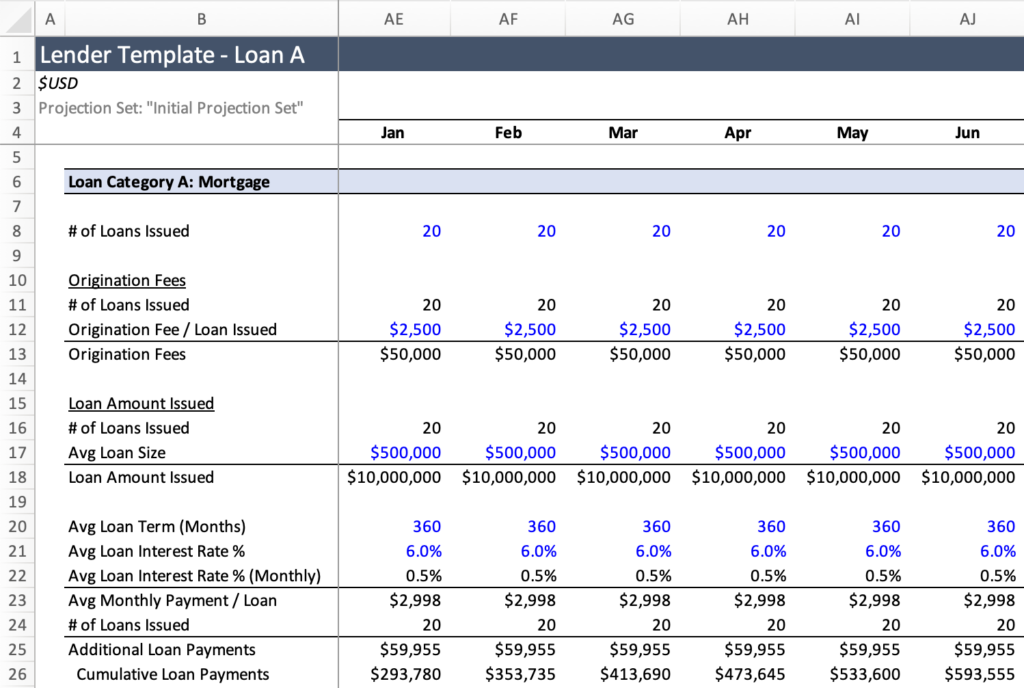
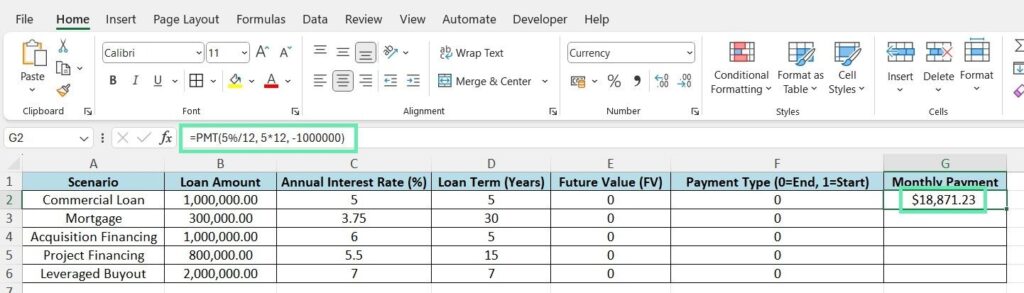

A cash flow model often starts with predictable outflows. Loan payments are one of the most predictable. The Excel PMT function gives a fixed number that can be placed into monthly or yearly projections.
In a cash flow model, the Excel PMT function helps estimate how much cash leaves the business or household regularly. This supports planning, forecasting, and decision-making. Many analysts use this function alongside otherfinancial functions to test different loan principal amounts and interest scenarios.
By adjusting inputs, you can see how changing payment frequency or loan size affects the overall financial obligation. This flexibility makes the Excel PMT function a favorite in finance teams.
Common Mistakes to Avoid With the Excel PMT Function
One common mistake is forgetting to align the interest rate and the payment frequency when calculating a financial obligation. Another is misunderstanding negative numbers and thinking the formula is broken. Some users also confuse the loan principal with the future value.
The Excel PMT function is precise, but it only works with correct inputs. Double-checking assumptions saves time and prevents incorrect periodic payments tied to a financial obligation from spreading across reports.
Conclusion
The Excel PMT function may look like a simple formula, but it carries a lot of financial weight. From calculating periodic payments to supporting a full cash flow model, it plays a central role in understanding loans and long-term financial obligation planning. Once you become comfortable with negative numbers, payment frequency alignment, and how principal and interest behave over time, the Excel PMT function becomes a dependable tool rather than a confusing one.
Used carefully, the PMT function helps individuals and professionals make clearer financial decisions. It does not replace judgment, but it gives a solid numerical foundation. For anyone working regularly in Excel with loans, budgets, or forecasts, mastering the Excel PMT function is time well spent.
FAQs
What is the Excel PMT function mainly used for
The Excel PMT function is mainly used to calculate periodic payments for loans where principal and interest are paid over time under a fixed payment frequency.
Why does the PMT function return negative numbers
The PMT function returns negative numbers because Excel treats payments as cash outflows. This is normal behavior.
Can the Excel PMT function be used for investments
Yes, the Excel PMT function can be adapted for investment scenarios, especially when modeling a cash flow model with regular contributions.
How does payment frequency affect the PMT function
Payment frequency affects how interest accumulates and how principal and interest are distributed. Monthly payments usually reduce total interest compared to yearly payments.
Is the loan principal always entered as a positive number
Yes, the loan principal is typically entered as a positive number even though the Excel PMT function result appears negative.
Can the Excel PMT function handle changing interest rates
No, the Excel PMT function assumes a constant interest rate. Variable rates require more advanced modeling.
Does the Excel PMT function include both principal and interest
Yes, every periodic payment calculated by the PMT function includes both principal and interest components.