
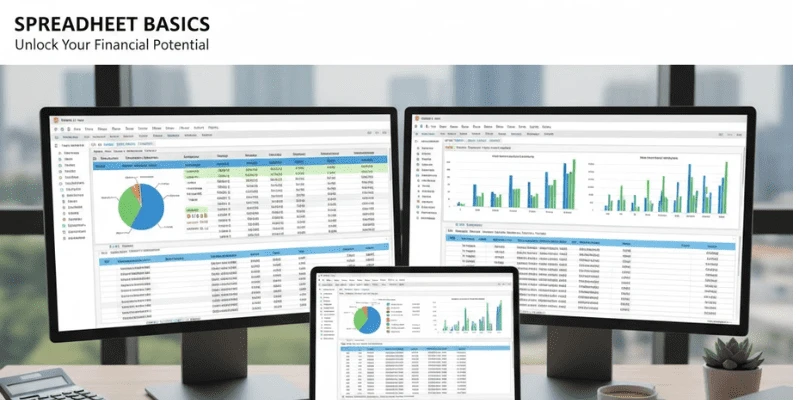
Ever opened Microsoft Excel and stared at that blank grid wondering where to begin? You’re definitely not the only one. Whether it’s for a side hustle, personal budgeting, or a new excel spreadsheet, knowing how to create a new excel spreadsheet is the key that unlocks Excel’s real power.
In this quick guide, you’ll learn how to set up your own sheet, use templates that save time, and see how Excel can make everyday data tasks a lot easier. Creating a new excel spreadsheet might seem daunting at first, but once you dive in, it becomes second nature, transforming raw data into actionable insights.
What is an Excel Spreadsheet?
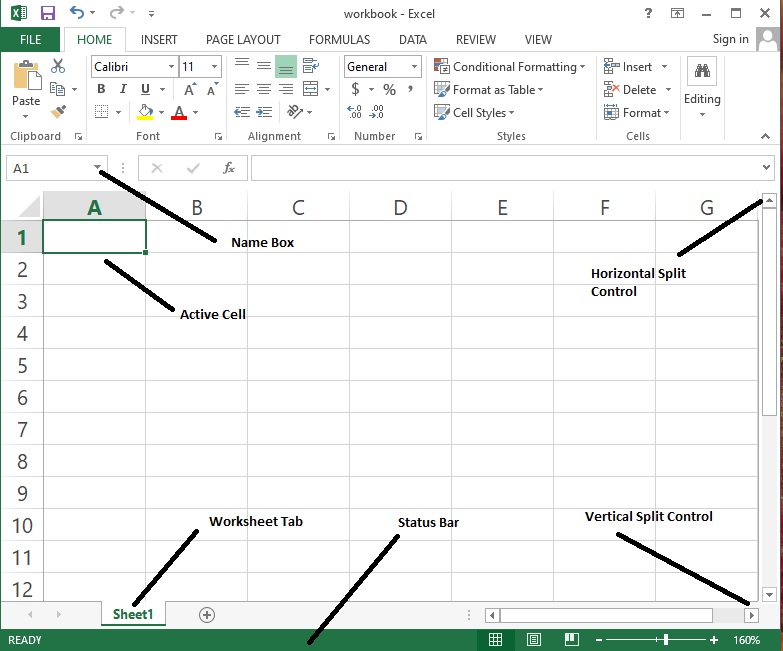
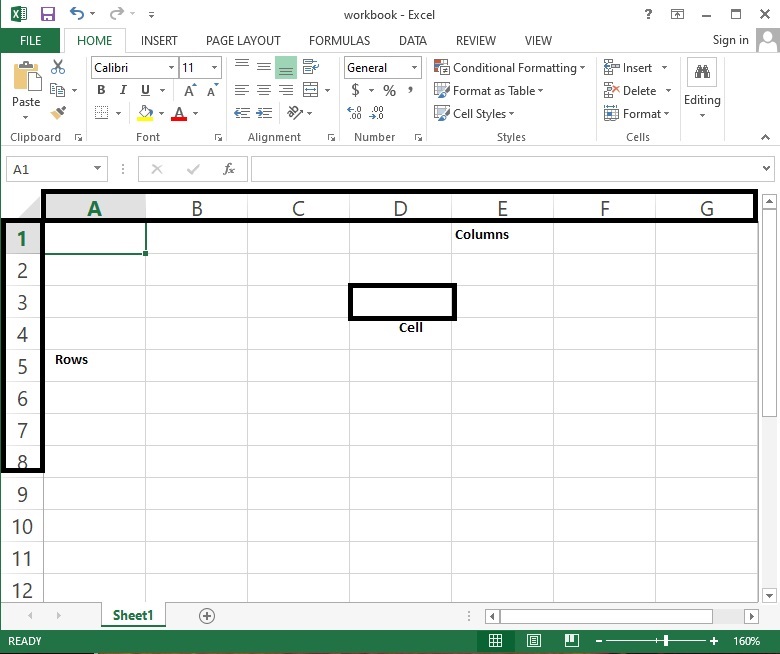
A new excel spreadsheet is a file applied in order to organize individual or company data in tabular form and make calculations on it. An Excel file is simply a table that keeps and calculates data for individual or company purposes. It’s filled with functionalities from basic excel functions like SUM or AVERAGE, through functionality that enables you to format cells, make charts, and analyze trends.
If you are new to it, excel training for beginners will be able to tell you how formulas and excel tools are interconnected. But do not worry since within a short while, you will become used to it and discover that Excel is not as difficult as it seems. A fresh new excel spreadsheet contains unlimited possibilities, from a simple list to complex dashboards, all in the comfort of excel format that keeps everything tidy and at hand.
How to create a New Excel Spreadsheet
You can create a new excel spreadsheet in two ways; starting with a new blank workbook or by inserting an existing excel budget template. Both are appropriate for a task that has very different elements, but they continue to push toward the same outcome, to organize your data efficiently. Let’s take a look at both directions and dive deeper into assisting you and how to make a decision for what may be the best option for your next excel project.
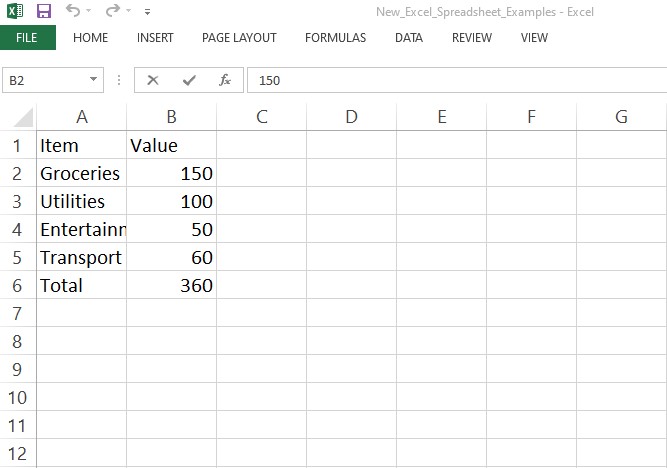
Ways to Start Your New Excel Spreadsheet: Blank or Template
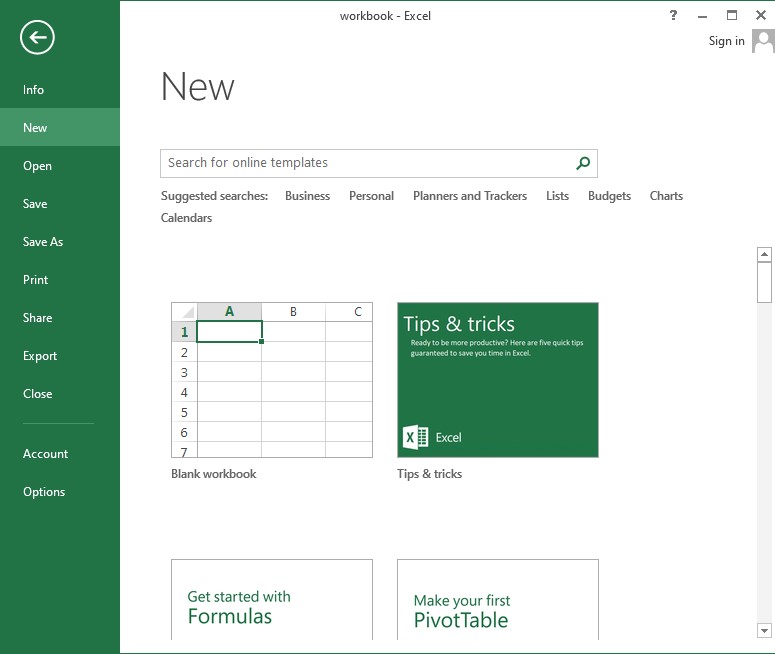
Option 1: Create a Blank Workbook this is the purest form of Excel, starting with a blank workbook if you like to have control over the excel format from the beginning. Here is how to start:
- Open Microsoft Excel.
- Click File in the top-left corner.
- Choose New.
- Select Blank Workbook.
You now have an empty new excel spreadsheet ready to use. Type data into cells, adjust column widths, and start creating your first excel project. As you go, you’ll get familiar with the excel format and how formulas turn manual work into smart automation.
This is the ideal method for the perfectionist that likes to personalize every detail so that your new excel spreadsheet feels just the way you want it. You can play around immediately with basic excel functions such as entering the addition formula using the command =SUM (A1:A10) and getting progressively bolder with every step.
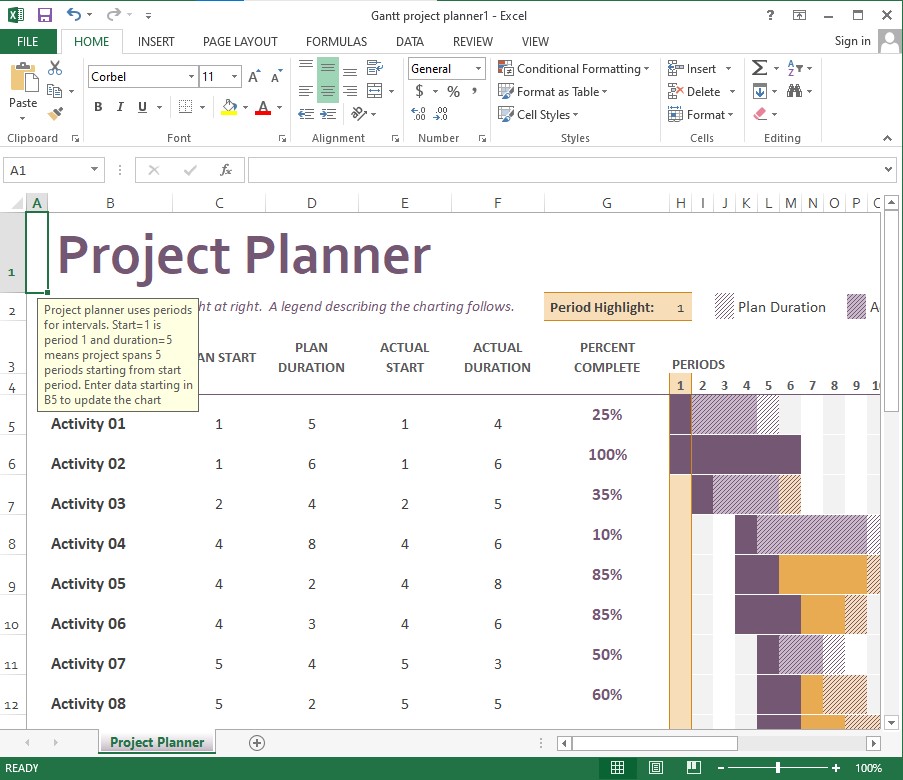
Option 2: Use a Budget Template in Excel. Microsoft Excel offers many free excel templates for personal or business needs, from planners and trackers to full-blown budgets. An excel budget template, in particular, is a game-changer for financial tracking. Here’s what to do:
- Open Excel.
- Click File > New.
- Browse the template library on the right panel.
- Select a budget or planner template.
- Click Create to open and customize it.
These are free excel templates that have pre-established categories, inbuilt charts and basic excel functions already included. They are therefore ideal for newbies. You simply plug in your information and the numbers will spring to life. Using an excel budget template saves hours, allowing you to focus on analysis rather than design. It’s especially useful in an excel project where time is limited, as the structure is already optimized for common tasks like expense tracking.
Example
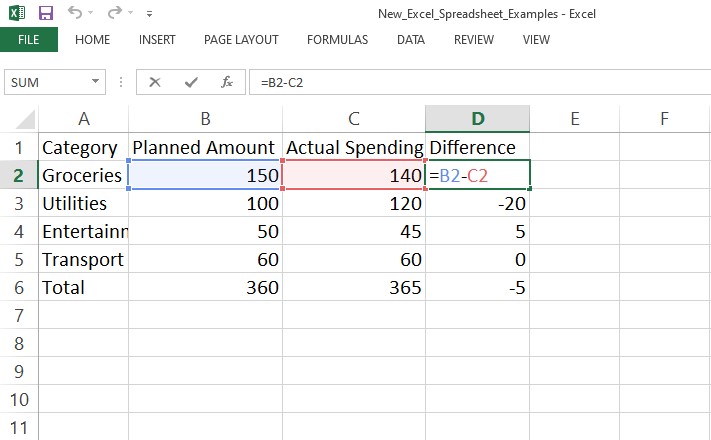
Weekly Budget Planner Template in Excel Let’s put it all together with an example of a simple new excel spreadsheet for budgeting. This setup uses an excel budget template to track expenses effortlessly.
| Category | Planned Amount | Actual Spending | Difference |
| Groceries | $150 | $140 | $10 |
| Utilities | $100 | $120 | -$20 |
| Entertainment | $50 | $45 | $5 |
| Transport | $60 | $60 | $0 |
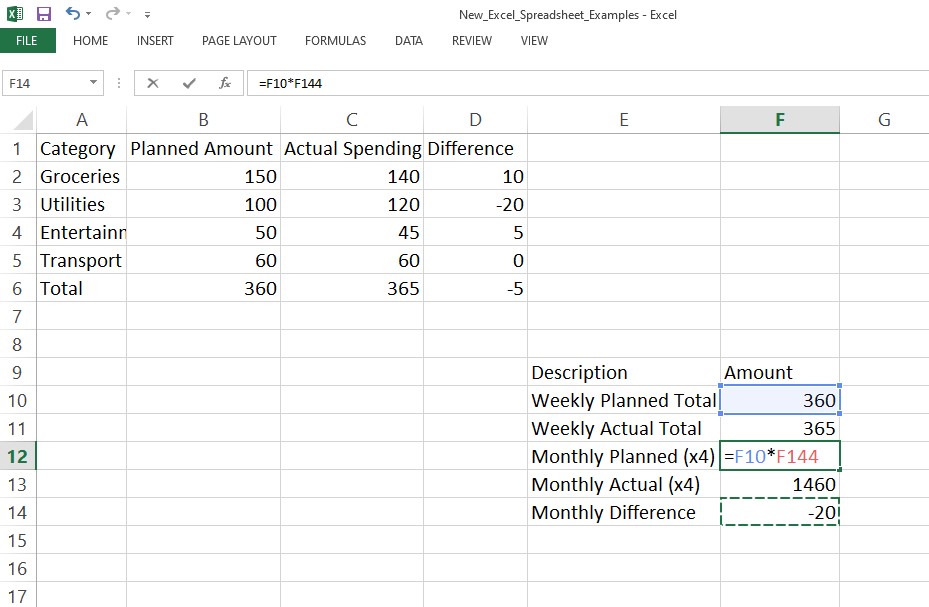
Above excel budget template helps you track weekly expenses and instantly see where your spending goes over or under plan.
You may incorporate color coding by using excel tools such as conditional formatting, or perform calculations using basic formulas from the excel formulas list such as SUM, IF, or AVERAGE. If you want explore more, you may look for advanced excel functionalities to automate your whole tracker budget. For instance, apply an absolute excel formula like =$B$2*C2 to lock references while copying across cells, ensuring accuracy in your new excel spreadsheet.
Expanding on this, imagine scaling this new excel spreadsheet into a monthly view.
By making a replica of a sheet and linking sums together using basic excel functions, you create a complete excel project. This not only tracks finances but also shows patterns, for example summer peaks in utilities, allowing for informed decisions.
Why Templates Are Great for Beginners
Templates take the guesswork out of setup. Everything from cell alignment to absolute excel formula is already handled. You can simply focus on the data itself. For example, if you’re using a free excel template like an excel budget template, the formulas will automatically update totals when you change values. That’s the power of automation without the need for coding or complex formulas.
Over time, these free excel templates also teach you advanced excel tricks. You’ll start to understand how functions connect, how IF statements work, and why certain formulas use dollar signs ($) for fixed references in absolute excel formula. Excel training for beginners often emphasizes this progression: start with templates, then tweak them to learn the ropes. By incorporating an excel budget template into your routine, you’ll naturally pick up skills in the excel formulas list, making your new excel spreadsheet more dynamic.
To deepen your understanding, consider diving into excel training for beginners’ resources online. These courses break down basic excel functions and guide you through building a simple new excel spreadsheet. They often include hands-on exercises, like modifying a free excel template to suit your needs, which reinforces learning without overwhelming you.
Summary
The digital skill that is most worth having is the ability to create a brand new excel spreadsheet. Whether it’s for personal excel project, a side business, or a way to manage your finances, Excel will provide the freedom to be able to organize, track, and analyze without fear.
Begin small using a free excel template, test the basic excel functions, and upgrade your way towards the advanced excel formulas. So open Excel today, create your first new excel spreadsheet, and turn those grids into something meaningful. With consistent practice through excel training for beginners and exploration of excel tools, you’ll soon handle complex tasks effortlessly. Embrace the excel format, utilize an excel budget template for quick wins, and watch your productivity soar in every new excel spreadsheet you craft.