
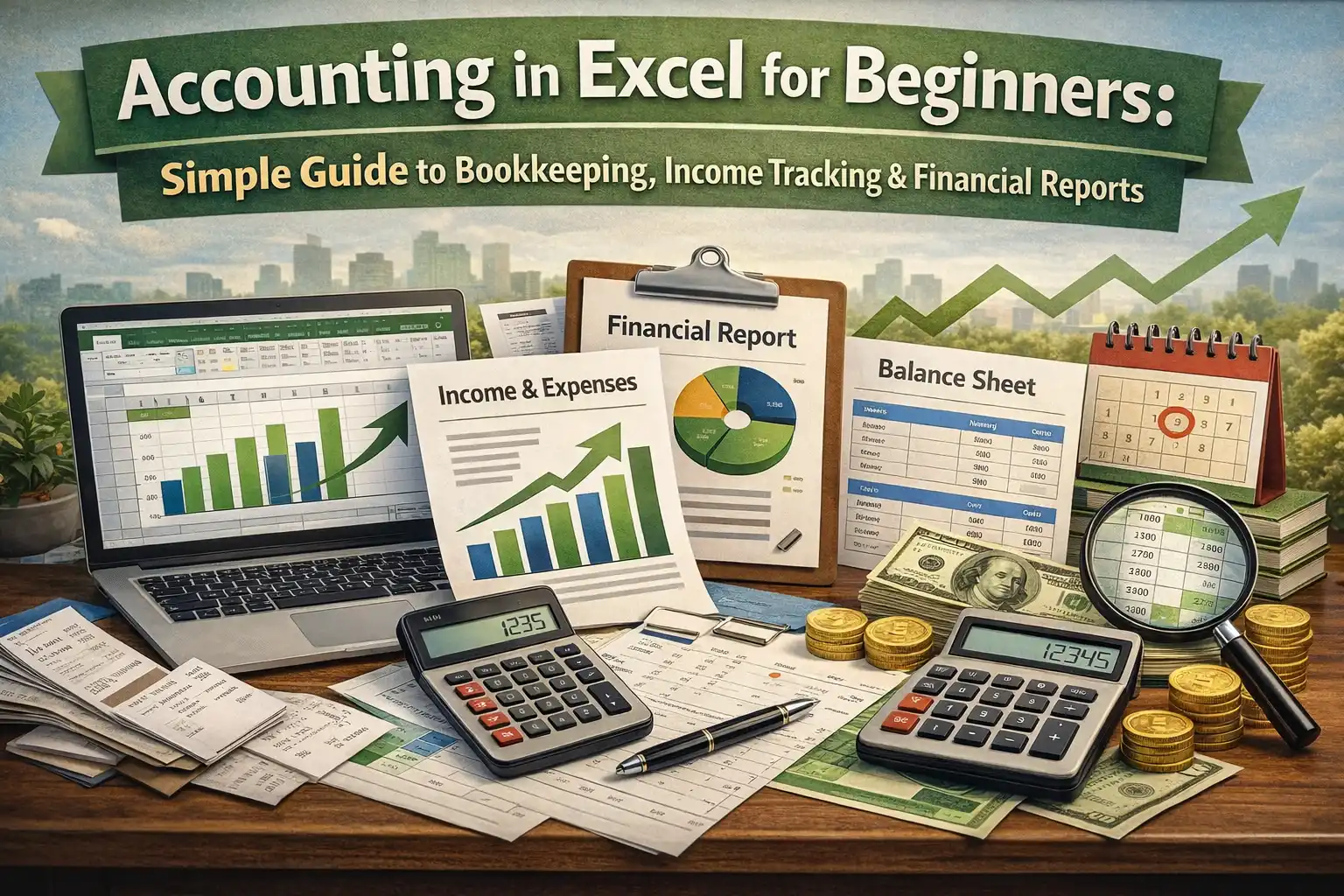
Accounting in Excel is one of those skills people usually ignore until they really need it. Maybe you run a small business, maybe you handle accounts for a family shop, or maybe you just want to understand where money is going. Whatever the reason, accounting in excel feels less scary than full accounting software, especially when you are starting from zero. Slowly, it becomes something else, almost like a quiet assistant that keeps track of your financial transactions without complaining.
This guide is meant for absolute beginners who want to understand accounting in excel in a simple, no-pressure way, without getting buried under confusion. No fancy language, no over-polished steps, just a real explanation of how people actually use Excel for accounting and bookkeeping. You will see how accounting in excel fits into daily work, small businesses accounting, and even basic financial reporting.
What Is Excel Accounting?
Excel accounting is simply using Microsoft Excel to record, manage, and understand financial transactions. Instead of writing numbers in notebooks or jumping straight into expensive tools, many people start accounting in excel because it feels familiar. You open a sheet, type dates, descriptions, and numbers, and suddenly you are doing accounting and bookkeeping.
At its basic level, accounting in excel is about using spreadsheets to keep track of income, expenses, assets, and liabilities. You can set up a chart of accounts, follow double entry accounting, and create financial reporting without relying on any dedicated accounting software. That simplicity is exactly why accounting in excel continues to be a favorite choice for freelancers and small businesses accounting.
You can keep it very simple with one sheet or slowly grow it into multiple linked sheets. People like this control. There is no forced structure, which can be good and bad at the same time.
Excel Accounting Explained
When people hear accounting in excel, they sometimes think it is unprofessional. That idea is not really true. Many accountants still use Excel alongside accounting software, especially for tracking Accounts receivable and payable. Excel accounting explained in simple words means you are using formulas, formats, and tables to organize financial data, including Accounts receivable and payable.
You record financial transactions as they happen. You categorize them into income or expense. You apply double entry accounting logic where every transaction has two sides, which is essential when managing Accounts receivable and payable. Over time, you can generate financial reporting like income statements and statement of cash flows.
Accounting in excel also helps you understand numbers better. When you build it yourself, you see mistakes faster. You notice when accounts receivable and payable are growing too much. You see cash issues before they turn serious.
Most Useful Excel Accounting Formulas and Formats
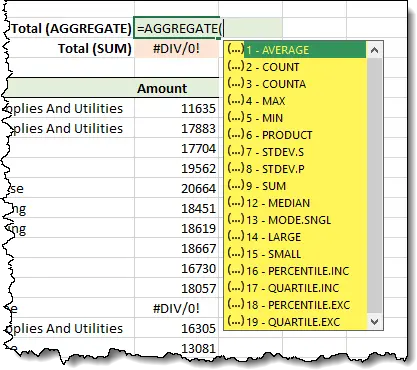
Accounting in excel depends heavily on formulas, but do not worry. A few basic ones do most of the work in accounting and bookkeeping, especially when preparing reports like the statement of cash flows.
SUM is probably the first formula everyone uses in accounting in excel. It helps you total income, expenses, or balances, which later supports building the statement of cash flows. IF is another useful one, especially when sorting financial transactions into categories that eventually flow into the statement of cash flows. VLOOKUP or XLOOKUP is used when pulling data from your chart of accounts into transaction sheets, making statement of cash flows preparation more organized.
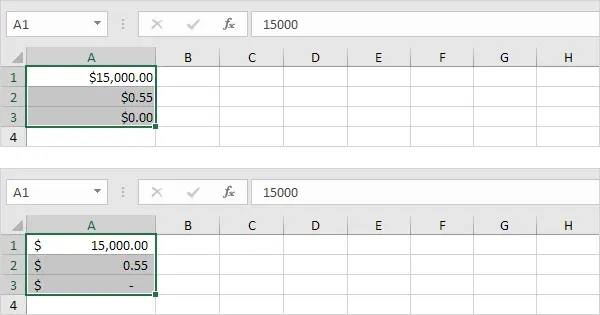
Formatting matters a lot in accounting in excel. Setting cells to accounting format makes numbers easier to read when reviewing income, expenses, and the statement of cash flows. Negative numbers stand out. Dates stay consistent. This small thing improves accuracy more than people expect.
How to Know When You Need Accounting Software
Accounting in excel is great, but it has limits. Knowing when to move on is part of smart accounting and bookkeeping, especially when tasks like bank reconciliation start becoming more complex. If your financial transactions increase a lot, Excel can feel slow and messy, making bank reconciliation harder to manage.
When you start dealing with inventory, taxes, payroll, and multiple users, accounting in excel may not be enough. Errors become harder to track. Bank reconciliation takes longer as data grows. Financial reporting becomes stressful.
For small businesses accounting, Excel is usually fine in the early stages. Later, many people still export data from software into Excel because they trust Excel for analysis. Accounting in excel does not disappear. It just changes its role, often supporting bank reconciliation tasks.
How is Excel used for accounting?
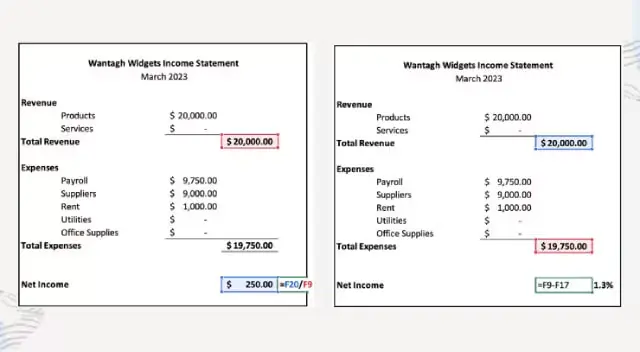
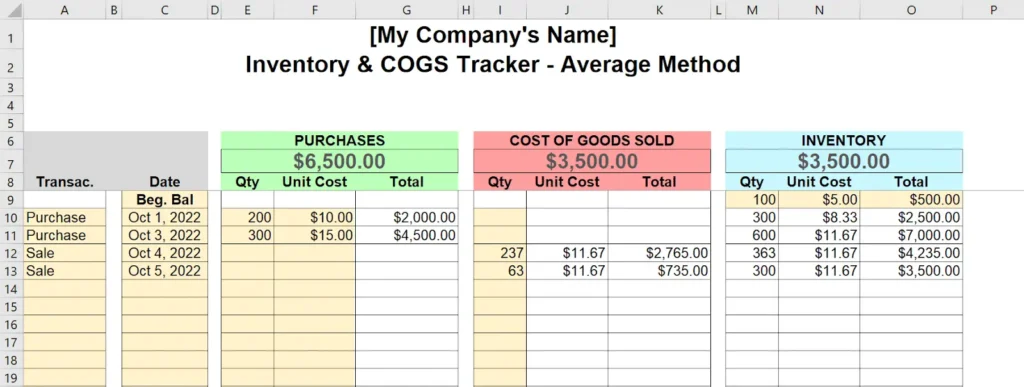
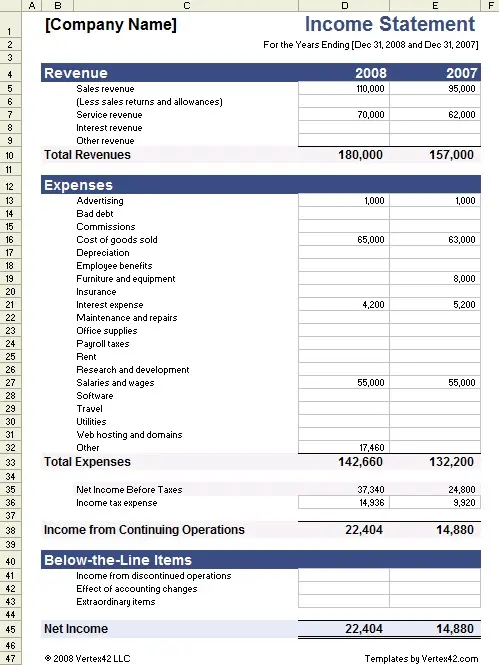
Excel is used for accounting in very practical ways. People use it to track daily income and expenses, manage accounts receivable and payable, and prepare reports. Accounting in excel supports both simple and slightly advanced needs.
Some people use Excel only for budgeting. Others build full systems with general ledgers and financial reporting. The flexibility is why accounting in excel stays relevant.
Creating a chart of accounts
The chart of accounts is the backbone of accounting in excel. It is a list of all accounts you use, such as cash, sales, rent, and expenses. Without it, accounting and bookkeeping becomes confusing.
In accounting in excel, the chart of accounts usually sits on a separate sheet. Each account has a name and a type. This structure helps with double entry accounting and clean financial reporting.
Tracking income and expenses
Tracking income and expenses is where most beginners start accounting in excel. You record dates, descriptions, and amounts. Over time, patterns appear. You see which expenses are growing and which income sources are stable.
This simple habit improves small businesses accounting a lot. Many cash problems come from not tracking things properly. Accounting in excel makes tracking visible and honest.
Generating invoices
Some people also generate invoices using accounting in excel. You can create simple invoice templates and reuse them. It is not fancy, but it works.
Invoices help with accounts receivable and payable tracking. When payments are delayed, Excel helps you see it clearly.
Reconciling bank statements
Bank reconciliation is a key task in accounting in excel. You compare your recorded transactions with bank statements. Differences highlight mistakes or missing entries.
Doing bank reconciliation regularly improves accuracy. It also strengthens financial reporting and trust in your numbers.
Budgeting
Budgeting is another area where accounting in excel shines. You plan expected income and expenses and compare them with actual results. Over time, budgeting becomes realistic.
For small businesses accounting, budgeting in Excel feels more personal and flexible than software tools.
How to use Excel for accounting
Using Excel for accounting follows a logical flow. It is not magic. You build structure slowly.
Create a chart of accounts
Again, everything starts with the chart of accounts. In accounting in excel, this step cannot be skipped. It keeps financial transactions organized and supports double-entry accounting.
Post journal entries
Journal entries record financial transactions. Each entry affects two accounts. This is the heart of double-entry accounting. Accounting in Excel handles this well when done carefully.
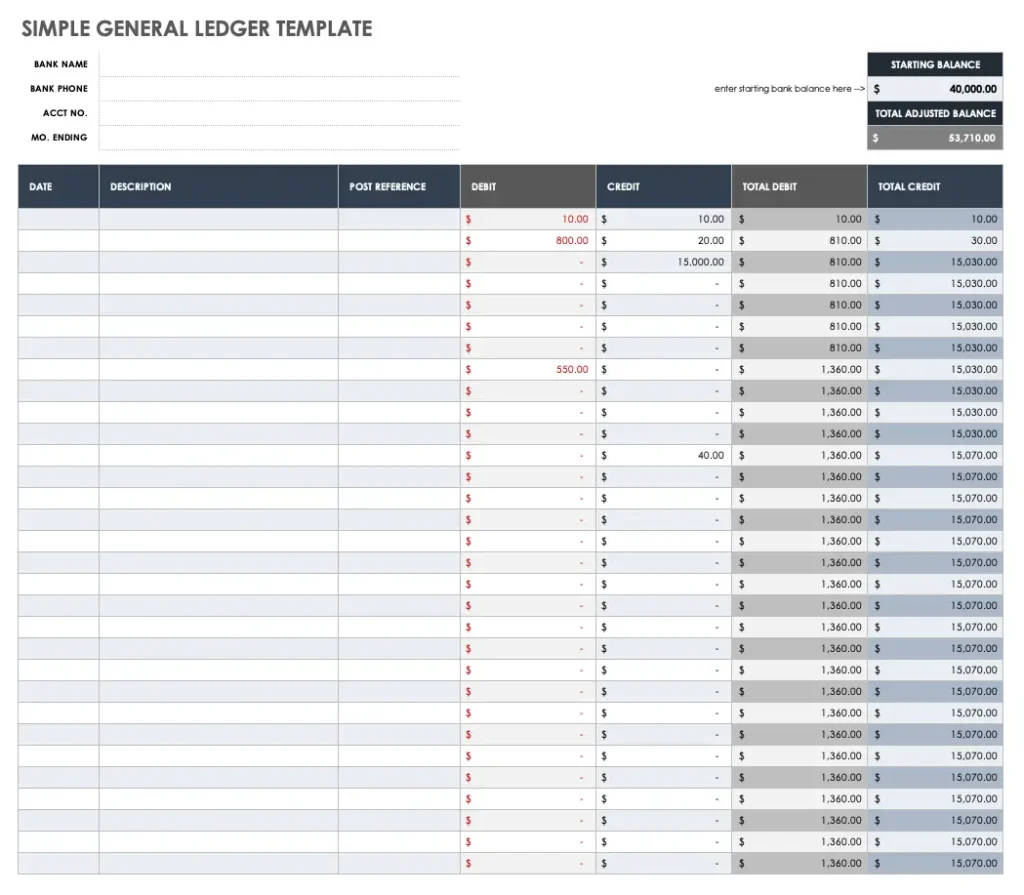
You enter dates, descriptions, debit, and credit amounts. Over time, this builds your accounting and bookkeeping history.
Manage the general ledger
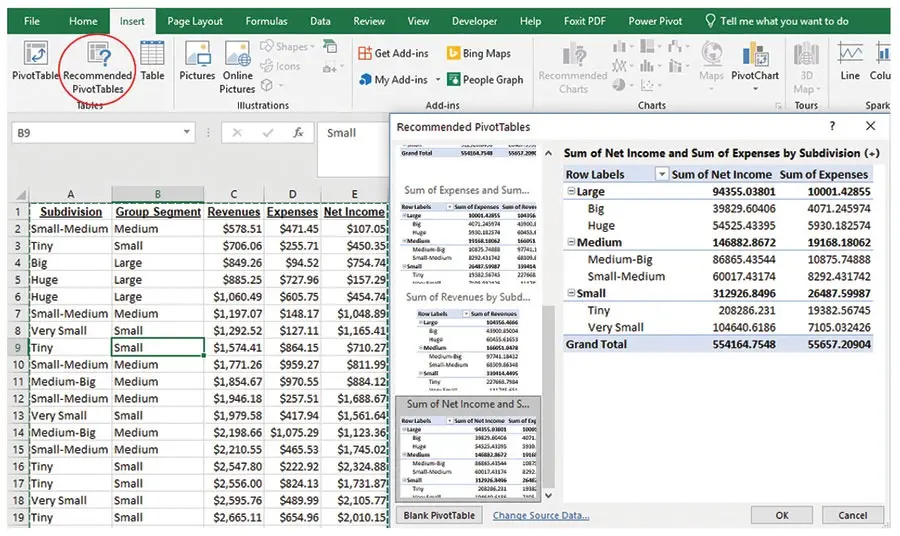
The general ledger summarizes all accounts. In accounting in Excel, it is usually created using formulas or pivot tables. It helps you see balances clearly.
Managing the general ledger improves financial reporting accuracy and makes audits easier.
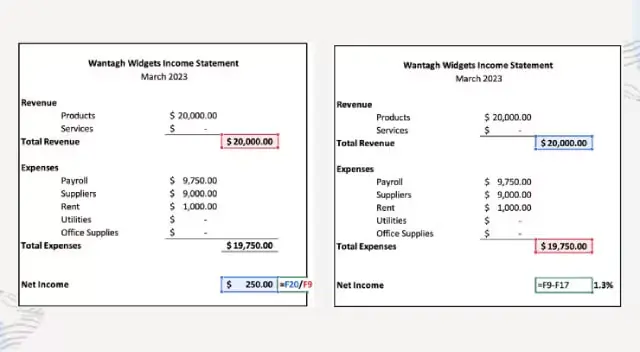
Create the income statement
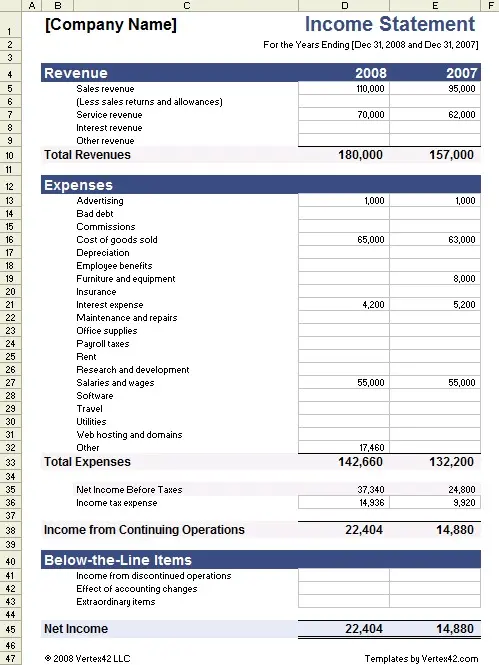
The income statement shows profit or loss. Accounting in excel calculates this by subtracting expenses from income. It is simple but powerful.
For small businesses’ accounting, the income statement answers the most important question. Are you making money or not?
Conclusion
Accounting in excel is not perfect, but it is practical, flexible, and powerful when used correctly. For beginners, it offers a low-pressure way to understand accounting and bookkeeping without jumping into complex systems. You learn how financial transactions work, how double-entry accounting keeps things balanced, and how financial reporting tells a story about your business.
As your needs grow, accounting in Excel can grow with you or support other tools. The important thing is starting. Excel is already there on most computers. You just need patience and a bit of curiosity.
FAQ
What is accounting in Excel used for?
Accounting in excel is used to record financial transactions, manage accounting and bookkeeping, and prepare basic financial reporting for individuals and small businesses’ accounting needs.
Is accounting in Excel good for beginners?
Yes, accounting in Excel is very beginner-friendly. It helps users understand concepts like double entry accounting, the chart of accounts, and bank reconciliation slowly.
Can Excel handle full accounting?
Excel can handle many accounting tasks, including accounts receivable and payable, budgeting, and statement of cash flows, but it may struggle with very large or complex data.
How is Excel used in accounting daily?
Excel is used daily for tracking income and expenses, updating ledgers, performing bank reconciliation, and preparing financial reporting.
What are common Excel formulas for accounting?
Common formulas used in accounting in Excel include SUM, IF, VLOOKUP, XLOOKUP, and pivot tables for summaries.
Is accounting in Excel still relevant today?
Yes, accounting in excel remains relevant because of its flexibility, low cost, and usefulness alongside accounting software.